
Step 1: Index TextGrids
Indexing TextGrid files is the starting point for this plug-in. When running this operation, Praat will read the TextGrid files in a directory and store their content into tables. These tables are used internally by the plug-in when searching for data.
Create an index
In the following example we will index the TextGrid files in the folder
ling_data (Fig. 7).
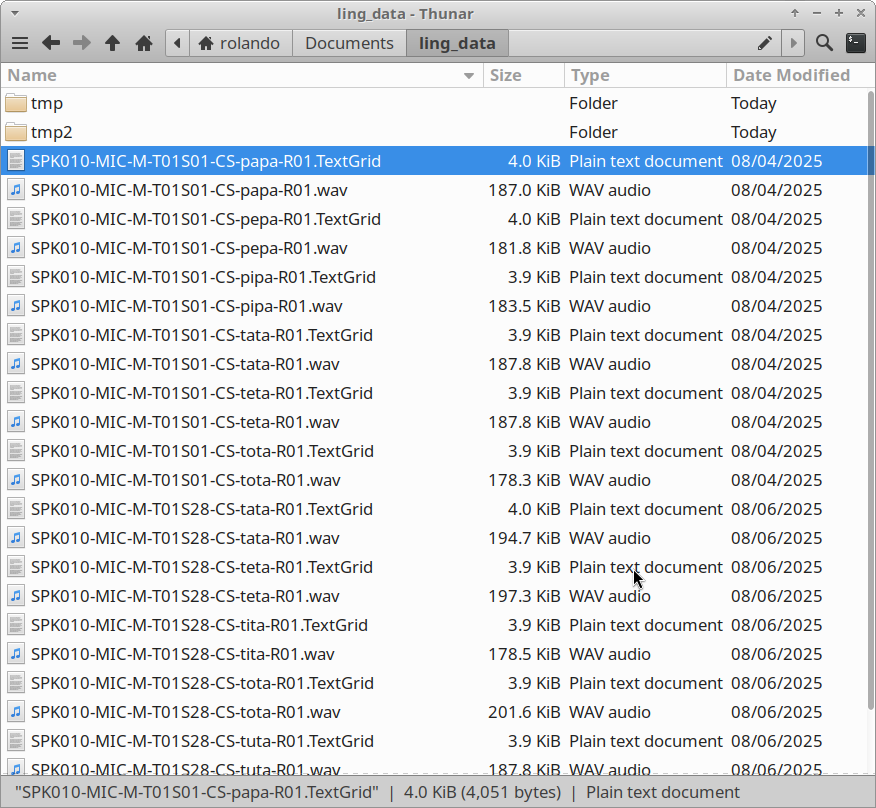
Fig. 7 A folder containing the audio and TextGrid files to be indexed.
To index this folder, go to the Finder > Create index... command.
When you click it, a window pops up as shown in Fig. 8.
In the field Folder with annotation files provide the directory on
your computer. Leave the other options as in Fig. 8
and click Ok.
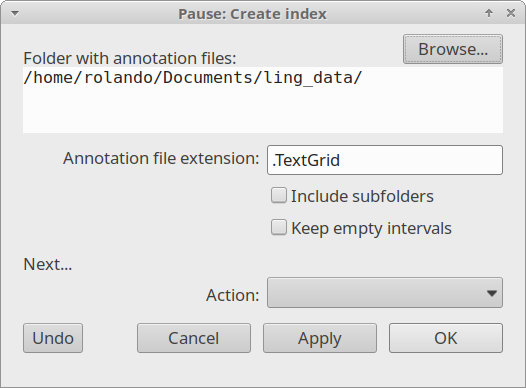
Fig. 8 The Create index... window
Once the indexing is complete, the Praat Info window will display a
message like the one in Fig. 9. The message lists all
the tiers grouped by name across your TextGrid files and the total number
of transcribed items (intervals or points) for each one. For
example, the tier vowels contains 12 labels in total.
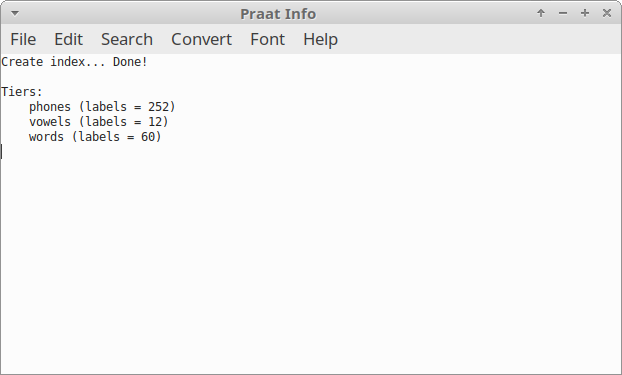
Fig. 9 The Praat Info window showing the indexing results
Include subfolders
In the previous case, only the files in the main directory were indexed.
To include TextGrids within subfolders (such as tmp and tmp2),
check the Include subfolders option. As shown in
Fig. 10, the results are now different from the
previous example because more TextGrid files were included.
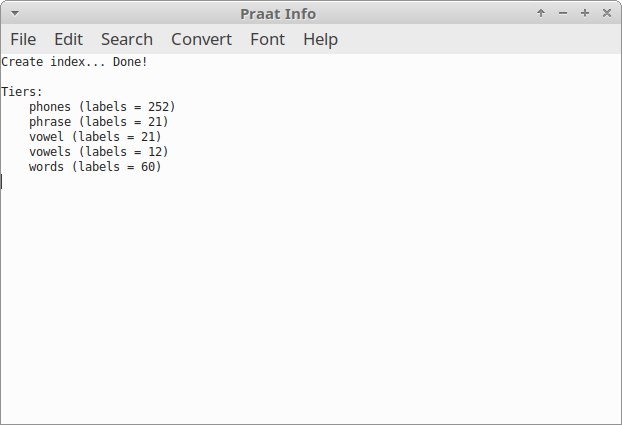
Fig. 10 The Praat Info window showing the indexing results
FAQ
Do I need to index my files each time Praat starts?
No. The plug-in stores the indexed information on the folder
tempwithin the plug-in folder. This folder is managed automatically, so your data remains available and ready for use every time you start Praat.
When is it necessary to index files again?
You should create a new index whenever your annotation files are modified or updated.
Is there a limit to the number of TextGrids I can index?
There is no hard limit; however, the time required to create the index will increase with the number and size of your files. For very large datasets, we recommend indexing only the folders necessary for your current analysis.
Does indexing modify my original TextGrid files?
No. The plug-in only reads your files to extract information. Your original TextGrid files remain untouched and are never modified by the indexing process.
What happens if I move my folder to a different location on my computer?
If you move your annotation folder, the plug-in will no longer be able to locate the files. In this case, you simply need to run the
Create index...command again and provide the new folder path.
Now you are ready for Step 2: Search.