
Finder Tutorial
Welcome! Finder is a Praat plug-in designed to search and manage annotations across multiple TextGrid files. Use this tool to explore your data, edit transcriptions, extract audio segments, and generate reports.
In the Finder, the workflow consists of three steps as illustrated in the diagram.
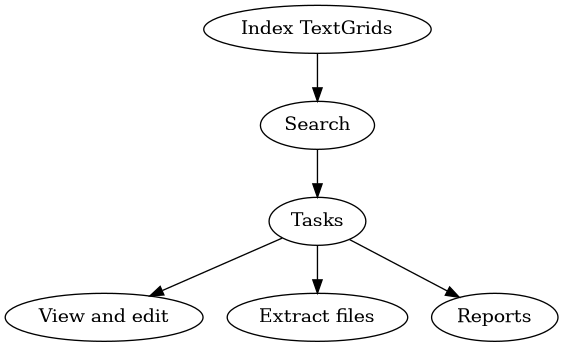
In the first step, users create an index from TextGrid files which captures the labels in all tiers (interval or point). This index is managed internally by the plug-in.
Once an index is created, users can query searches on a specific tier. For example, you can search for the word ‘dog’ across all TextGrids containing a tier named ‘words’. Searches are performed one specific tier at a time; the plug-in supports multiple search modes (such as exact match, regex, or starts/ends with).
Finally, once a search is done, users can use the View & Edit mode to open each TextGrid and audio file one-by-one in the TextGridEditor window. They can also extract the audio segments corresponding to the results as new files; it is also possible to generate frequency and location reports.
In this tutorial, I will guide you through the basics and share ideas on how to integrate Finder into your linguistic projects.
Tutorial:
Support
Hint
If you find this plugin useful, you can support its development by buying me a coffee. Your contributions help me keep the project updated and free for everyone.